
How to flag a quote:
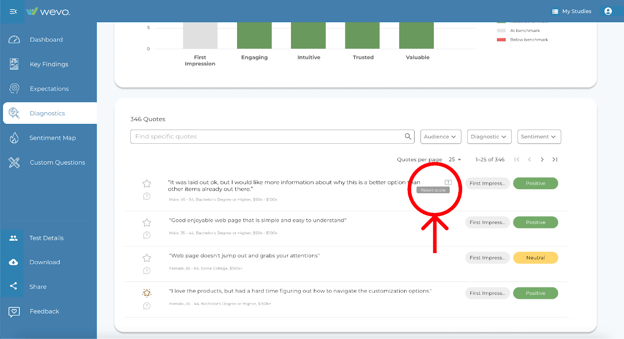
- In any WEVO section that includes qualitative responses, hover over a quote.
- Click the Report Quote icon (the exclamation point) that appears.
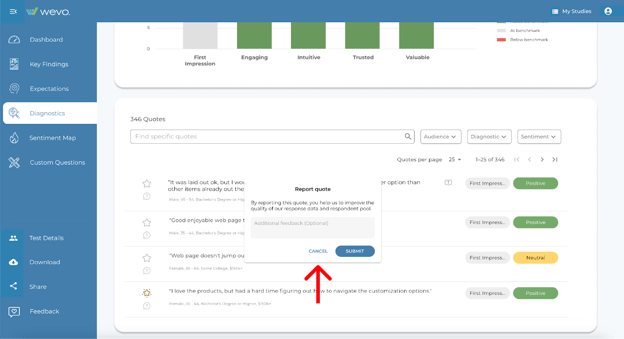
- Enter the reason the quote should be removed. Your feedback helps train WEVO’s AI model.
Additional notes
- Quotes can be flagged by multiple team members.
- If a quote has already been reported, the exclamation point will appear red when you hover over it.
- You can still submit your own feedback on a flagged quote, but you will not be able to see comments left by other team members.
Please note: Once a comment is flagged, it cannot be undone at this time.