
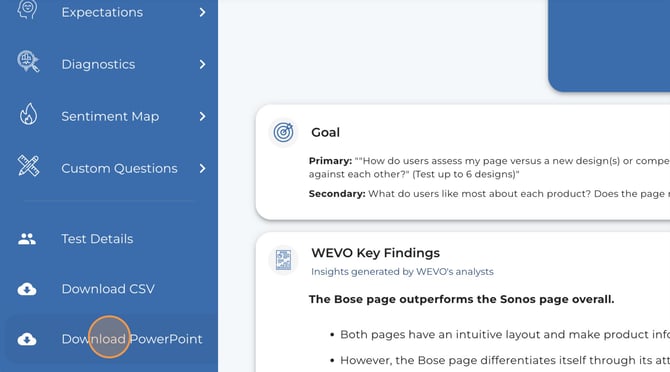
With just one click, you can generate a PowerPoint or Google Slides deck that includes key sections of your study. This helps eliminate the need to take screenshots or manually recreate findings.
What's included:
Most sections of your WEVO report can be exported into slides. Depending on your test type (Journey, Page, or Compare), exports may include:
- Test Objective
- Test Details
- Test Score and number of participants
- Starred Quotes (top 4)
- Diagnostic Scores
- Expectations
These sections are automatically formatted into slides, making it easy to review and share key insights with stakeholders.
Where to find it:
Customization options
You can choose to use your own slide template, or export a blank version to customize as needed.
For more tailored or fully customized presentations, WEVO’s Professional Services team can create polished, stakeholder-ready decks aligned to your specific goals and branding. To learn more or request this support, please contact WEVO Customer Support (customersupport@wevo.ai).